
Using playbooks
Drill from a hive to a ready-to-run starter, then choose whether the team checks in with you or runs straight through.
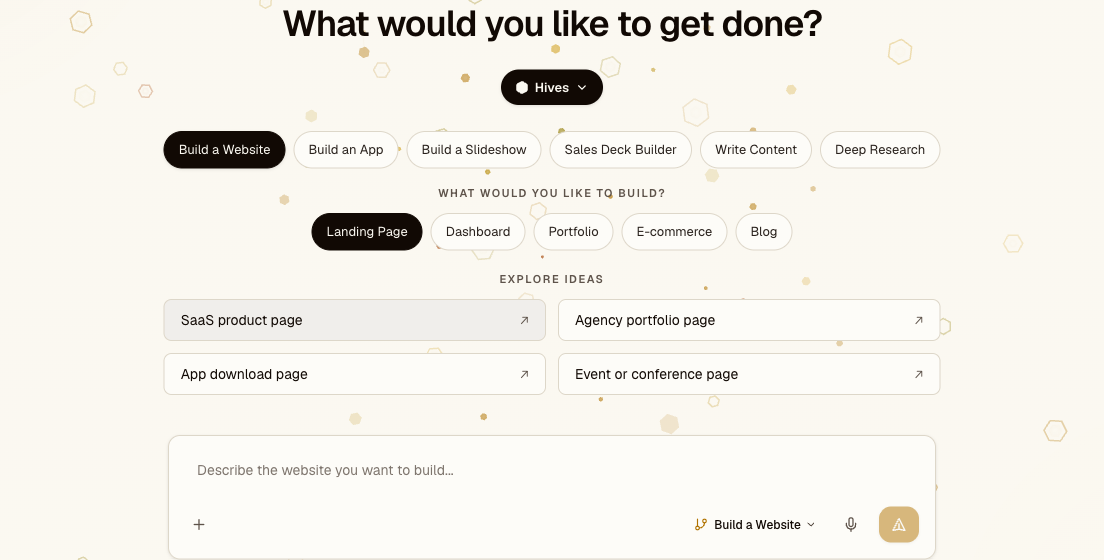
A playbook is a pre-built job your team already knows how to do — build an app, write a blog post, run deep research, audit code for security holes. Running one is a short drill-down: you narrow from "what kind of work" to a concrete starting prompt, then send.
The drill-down
Each step narrows the last:
- Pick a hive — the team for the kind of work.
- Pick a playbook — the job, like "Build an App" or "Deep Research."
- Pick a sub-option — the playbook asks a follow-up ("What kind of app?") and offers choices such as SaaS App, Internal Tool, or Marketplace.
- Pick a starter prompt — each sub-option lists a few ready-made prompts ("Project management tool," "Customer support platform"). Pick the closest one to fill the box, then edit it, or write your own from scratch.
- Send — the team runs it and brings the result back.
You can stop drilling at any point and just type — the sub-option and starter prompts are shortcuts, not required steps.
Supervised or autonomous
Multi-step playbooks run as a pipeline of specialists. A build, for example, moves through Project Planning, Development, QA testing, and a security audit — each handled by a different role.
- Supervised pauses at each stage for your sign-off before the next one starts, so you can catch a wrong turn early.
- Autonomous runs the same stages without pausing for sign-off, then hands you the finished result.
Either way, later stages can route problems back on their own — QA or the security audit can send issues back to Development for a fix before the job completes.
Starting from a scaffold
Build playbooks don't start from an empty folder. Each one provisions the right workspace for the job — a Next.js project, a database, or a presentation setup — so the team writes into a running project instead of setting one up first. Writing and research playbooks skip this and go straight to producing the document.
Where it fits
- Building your own — turn a repeatable job into a playbook.
- Hives — the teams playbooks run on.
- Automation — set any playbook to repeat on a schedule.